Why we made it
Cameras shaped like glasses are no longer unusual. EssilorLuxottica, the maker of Ray-Ban Meta, says more than 7 million AI glasses were sold in 2025 alone (EssilorLuxottica, 11 February 2026). From the outside, they are hard to tell apart from ordinary frames.
The seat next to you in a café, the passenger across the subway car, someone on the far side of a meeting room. Sometimes a pair of glasses catches your attention. Yet it is awkward to ask outright, and just as awkward to raise your phone camera at someone.
So we wondered: if glasses are hard to spot by eye, could the signals they send give you a second look? Without pointing a camera at anyone — just with the phone in your pocket. That is where Smart Glasses Detector began.
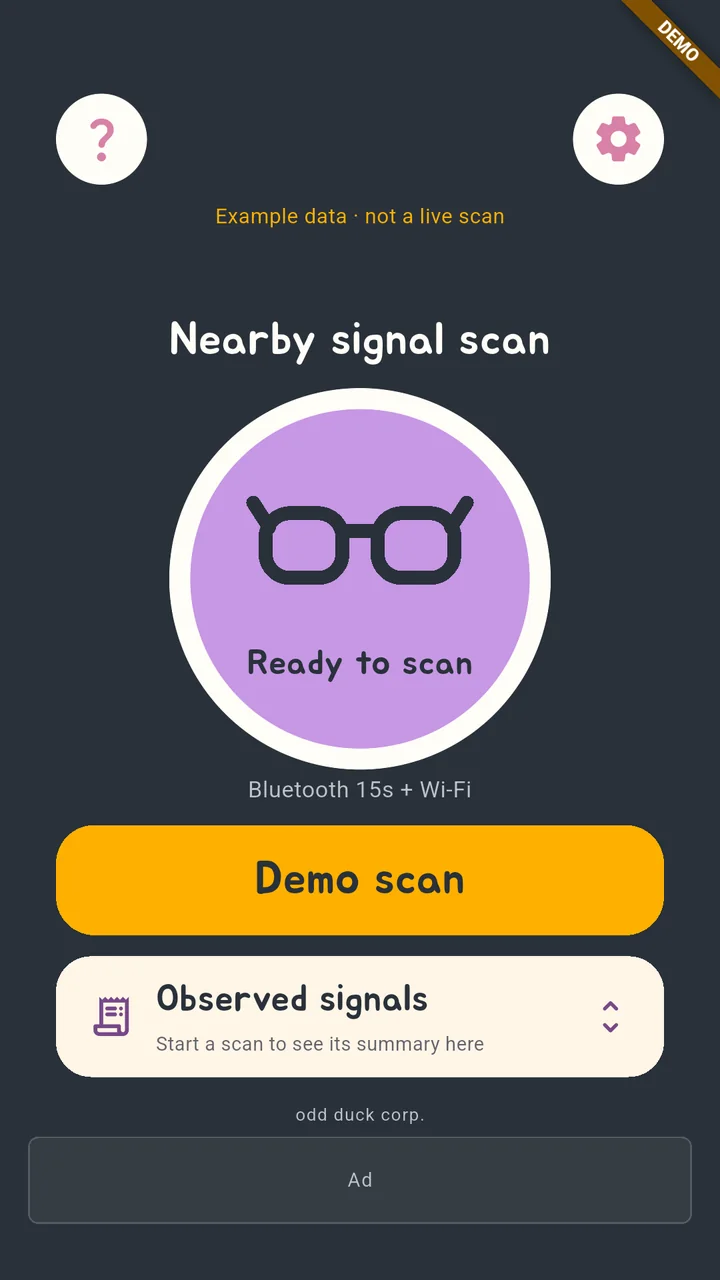
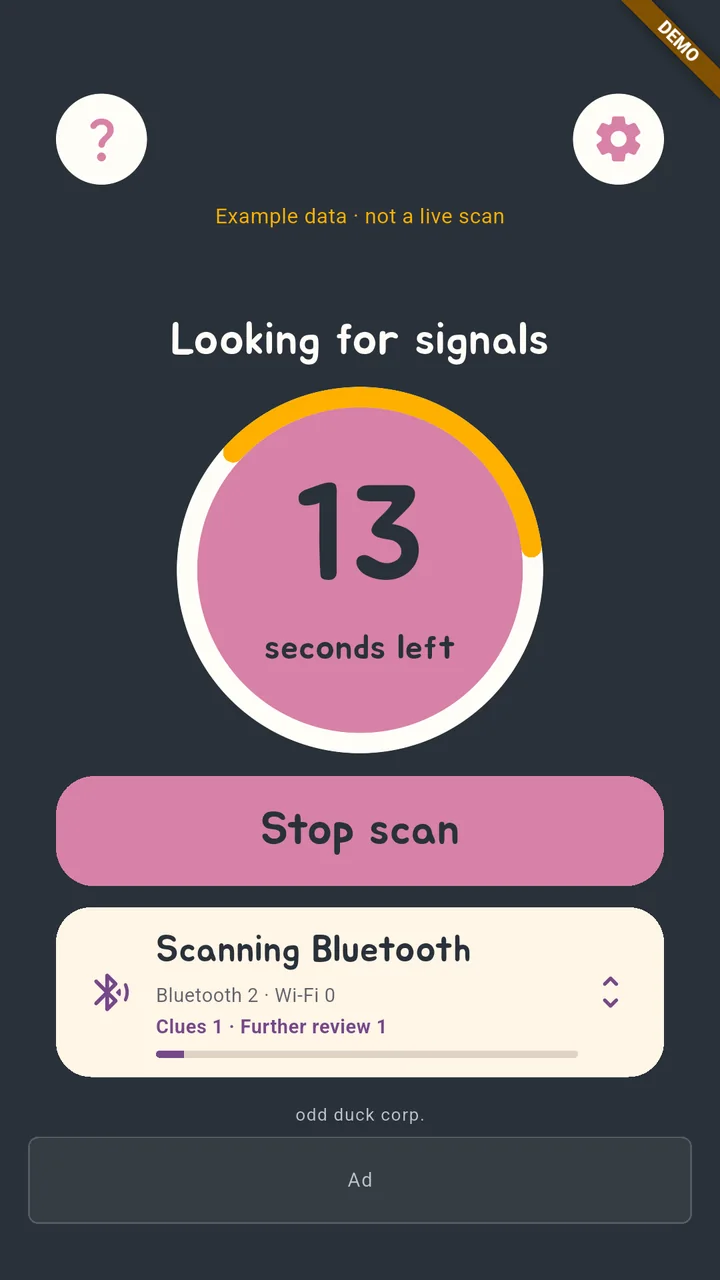 Smart Glasses Detector
A few scenes from smart glasses
Smart glasses have a long story, and one question has followed them all along: ‘are those glasses filming me?’ Here are just a few scenes.
On 16 April 2013, Google began shipping Google Glass to its early ‘Glass Explorers’. Privacy worries grew alongside the excitement, and on 29 October 2014 the Motion Picture Association of America (MPAA) and the National Association of Theatre Owners (NATO) banned wearable devices, Glass included, inside cinemas (Wikipedia).
That June, Berlin artist Julian Oliver released a program called ‘Glasshole.sh’. Every 30 seconds it scanned a Wi-Fi network for the first digits of a Google Glass device address, then kicked any match off the network (Infosecurity Magazine, 3 June 2014). It started with a student’s complaint that, at a school exhibition, no one could tell whether the people wearing Glass were recording or streaming (TIME, 4 June 2014).
In October 2024, two Harvard students added face recognition to Meta’s smart glasses and demonstrated ‘I-XRAY’, which looked up a stranger’s name, address and other details. They called it a demonstration of what is possible and did not release the code (404 Media, 2 October 2024).
The small light that signals recording became a debate too. In October 2025, a $60 modification that switches the light off was reported (404 Media, 23 October 2025). Meta, whose glasses already blocked the camera when the light was covered, announced in July 2026 an update that also turns the camera off when the light has been tampered with (Fortune, 11 July 2026).
In March 2026, Nearby Glasses, an Android app by developer Yves Jeanrenaud, was introduced. It uses the manufacturer number inside Bluetooth signals to alert you to nearby Meta and Snap devices (TechCrunch, 2 March 2026).
The same question reached exam halls in Korea. In May 2026, the first two cases of cheating with smart glasses were caught at regular TOEIC sittings (The Korea Economic Daily, 10 June 2026), and on 10 October another was caught at Yonsei University’s essay exam. This year Yonsei’s proctors try on candidates’ glasses themselves, and the Korea Institute for Curriculum and Evaluation listed smart glasses as a banned item in its plan for the 2027 College Scholastic Ability Test (Weekly Kyunghyang, 13 October 2026).
The shape has changed, but the question has not: are those just glasses? People have looked closely, trusted the light, and in the end even tried the glasses on themselves. Smart Glasses Detector adds one more clue to that question — the signal.
Listen, sort, show the reason
Glasshole.sh pushed the devices it found off the network; Nearby Glasses sends an alert when a manufacturer number matches. Smart Glasses Detector chose to listen, sort, and show its reasons.
- It only listens — It checks only the Bluetooth signals and Wi-Fi lists that nearby devices broadcast publicly. It does not pair with other devices or join networks, and it never cuts anyone’s connection.
- Bluetooth and Wi-Fi together — After listening for Bluetooth signals, it goes on to the Wi-Fi list. Beyond smart glasses, it also looks at clues such as the Wi-Fi names that small cameras broadcast.
- Names and makers kept apart — Signals whose product name matches are kept apart from signals where only the manufacturer matches. Weaker clues that may come from ordinary devices, such as earbuds or routers, are marked separately for additional review, and you can hide that mark in settings.
- Reasons in one list — From clues to unclassified and unnamed signals, everything goes into one list sorted by signal strength. Tap an item to see what was received, why it was sorted that way and manufacturer reference information, and copy it if you need to.
- Only on your phone — Scan results are processed on your phone and are not sent to a server. The app does not use camera or microphone permission, and there is no login.
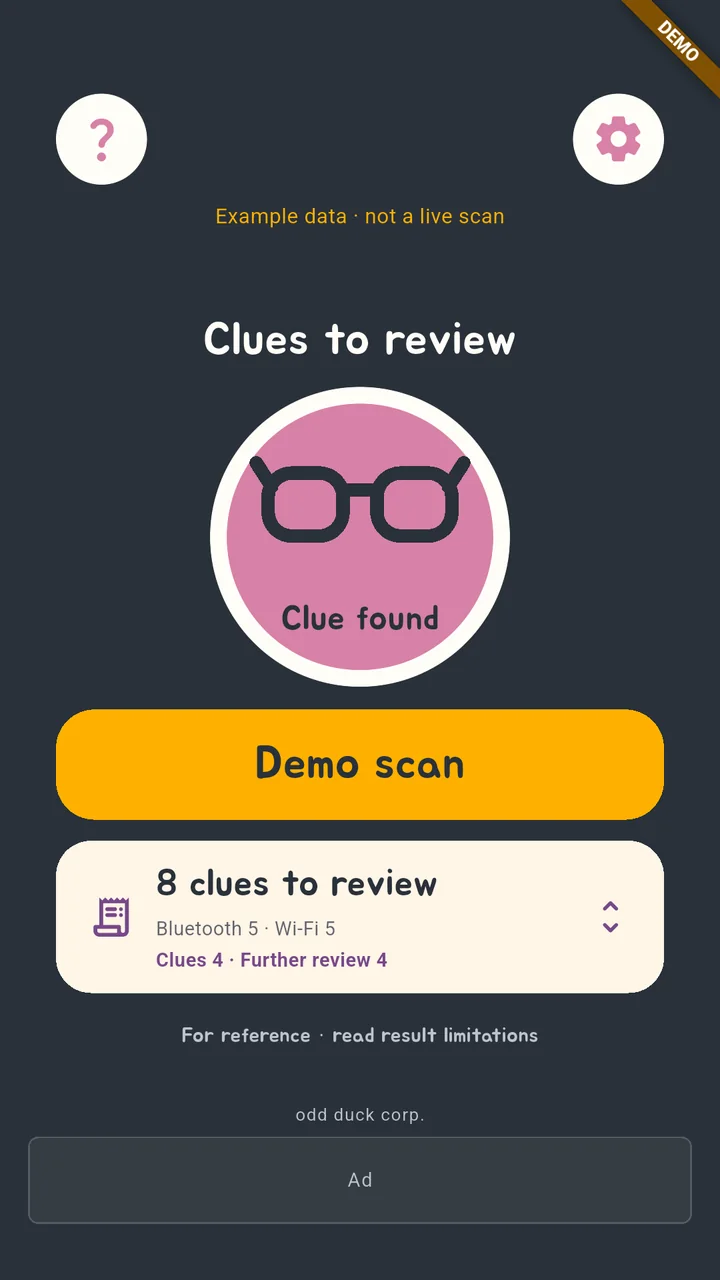
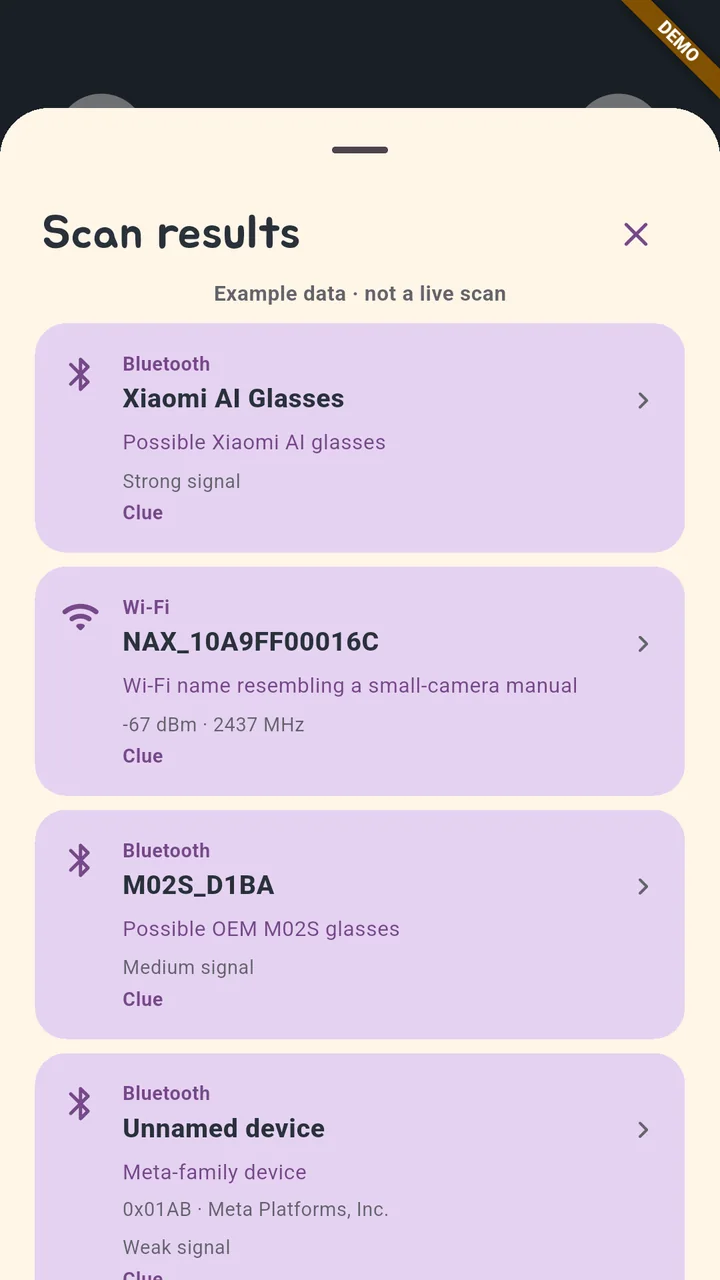 Smart Glasses Detector
The app’s text is available in 13 languages, including Korean, English, Japanese, Chinese (Simplified and Traditional), French, Vietnamese, Thai and Indonesian. It follows your device language, and you can also pick one in settings.
Reading the results
What Smart Glasses Detector shows you is a clue, not a verdict. Please keep these points in mind when you read the results.
- An unclassified signal only means it did not match the current clue rules. It does not mean the device is normal or safe.
- No results does not mean there are no devices nearby. Devices that are not broadcasting, or that have changed their names, may not appear in the list.
- When a device address changes, the same device can appear on several rows. Signals seen together are not treated as the same device or as connected to each other.
- The app does not determine who is wearing a device, which direction or how far away it is, or whether it is recording.
A clue is a reason to take a second look, not evidence that points at someone. If a result bothers you, think first of calm steps, such as moving to another seat or letting the staff of the place know.
We hope that in a moment of unease you can take out your phone, look once more, and take in your surroundings a little more calmly.
How to use
- Tap the yellow scan button. The first time, the app asks for nearby-devices and location permission.
- Android requires precise location permission and location services to read the Wi-Fi list (Android developer docs). The app does not read location coordinates.
- After listening for Bluetooth signals, it goes on to check the Wi-Fi list. Scanning stops when you leave the app.
- The results card at the bottom shows progress and the number of clues; tap it to open the Scan results list. Tap an item to see the reasons.
- In settings you can change the Bluetooth scan duration, whether to include Wi-Fi, whether to show additional clues, and the language.
Sources — Q4/Full Year 2025 Results (EssilorLuxottica) · Google Glass (Wikipedia) · New Script Kicks Google ‘Glassholes’ Off the Network (Infosecurity Magazine) · ‘Glasshole’ Detector Blocks Google Glass Users’ Wi-Fi (TIME) · The I-XRAY demonstration (404 Media) · A mod that disables the recording light (404 Media) · Meta’s recording-light update (Fortune) · Nearby Glasses (TechCrunch) · First smart-glasses cheating cases at the TOEIC in Korea (The Korea Economic Daily, Korean) · Yonsei essay exam case and the CSAT ban (Weekly Kyunghyang, Korean) · Wi-Fi scanning permissions (Android developer docs) · App screens: store screenshots (example data)